Photo guide
The best photo for custom dog pajamas, and every other gift
Your camera roll holds hundreds of dog photos. Which one will still look sharp once it is printed?
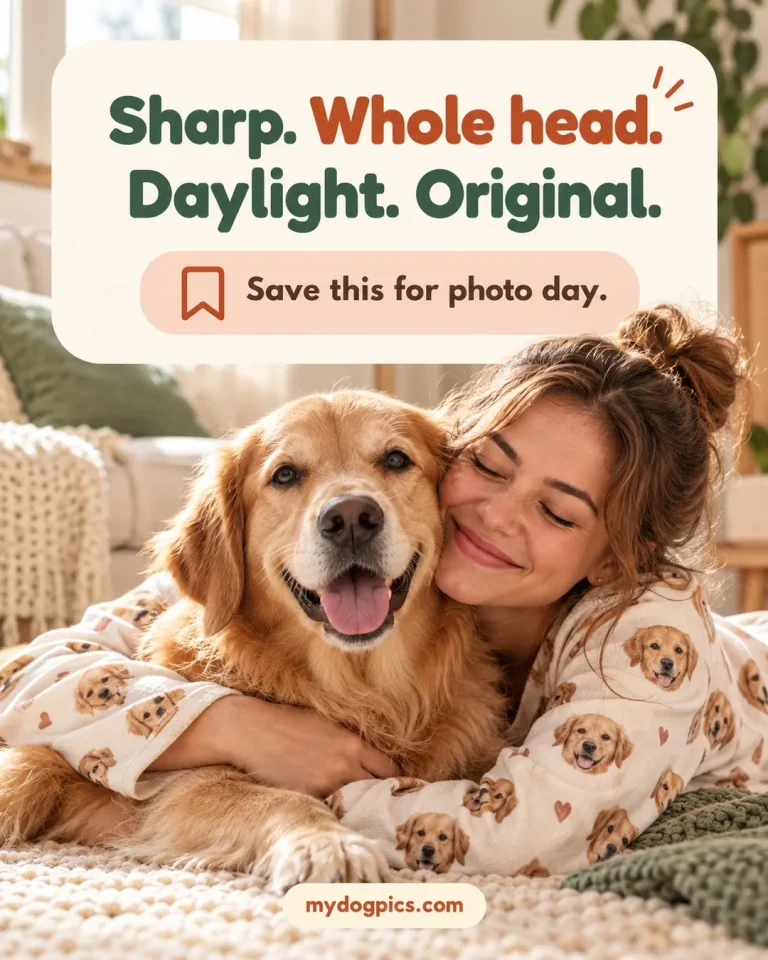
The best photo for custom dog pajamas is a close, sharp shot of your dog’s whole head in soft daylight, with the eyes and nose in focus and nothing covering the face. The same photo suits socks, mugs, blankets, ornaments and portraits, and MyDogPics checks every upload before printing.
- Sharp eyes and nose
- The whole head, ear tips to chin
- The original file, not a screenshot
Watch it
See where your photo goes after you upload it
A person checks every upload for focus, light, the whole head and resolution before anything is printed. This short video follows one photo from upload to print.
The checklist
What the best photo for custom dog pajamas has
Run through these six checks before you upload, and use your own photo or one you have permission to use. A photo that passes all of them gives the artwork what it needs, from a small ornament to a full-size blanket.
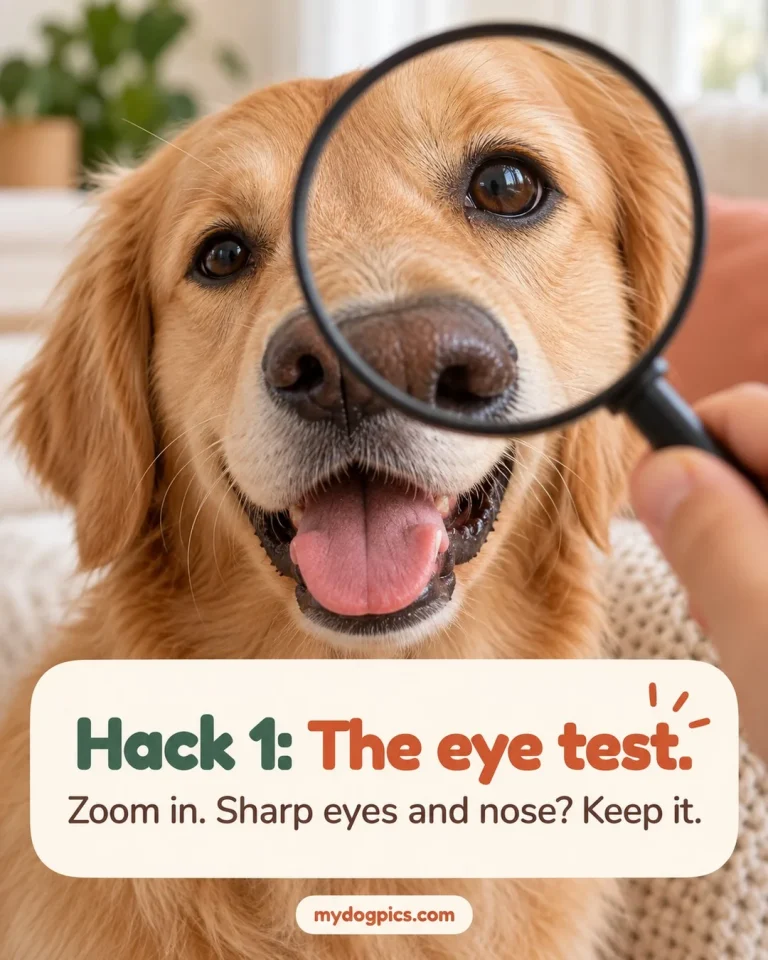
1. Sharp eyes and nose
Zoom in on the photo. If the whiskers and the rims of the eyes look soft, take another one.
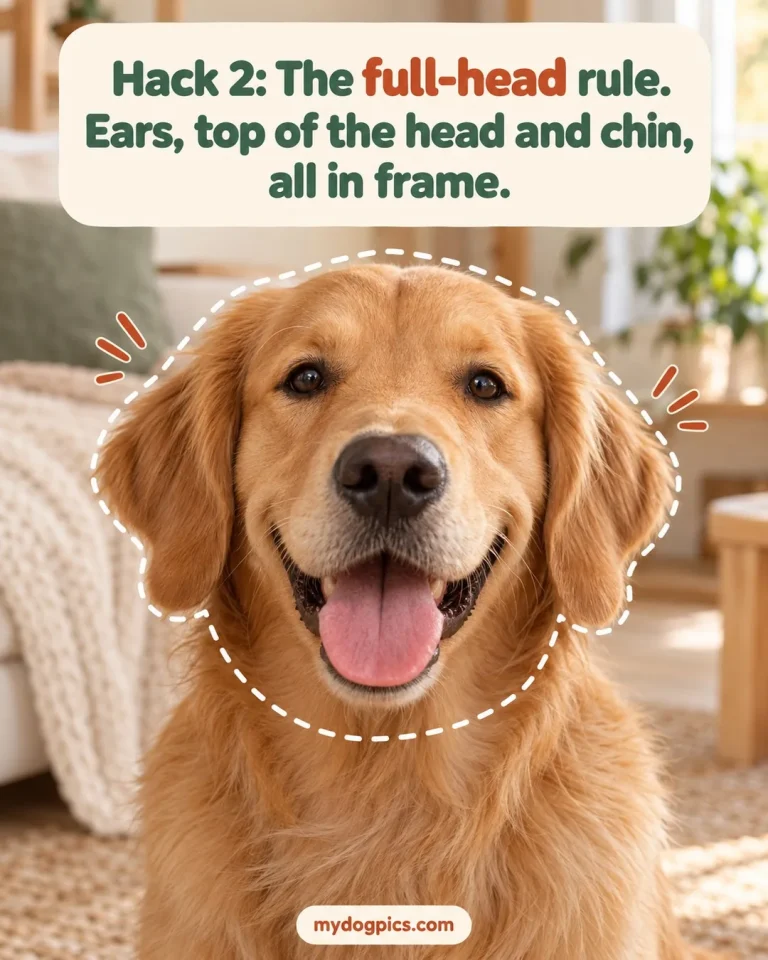
2. The whole head in frame
The face is cut out along its outline, so a cropped ear stays cropped. Keep the ears, the top of the head and the chin in the shot.
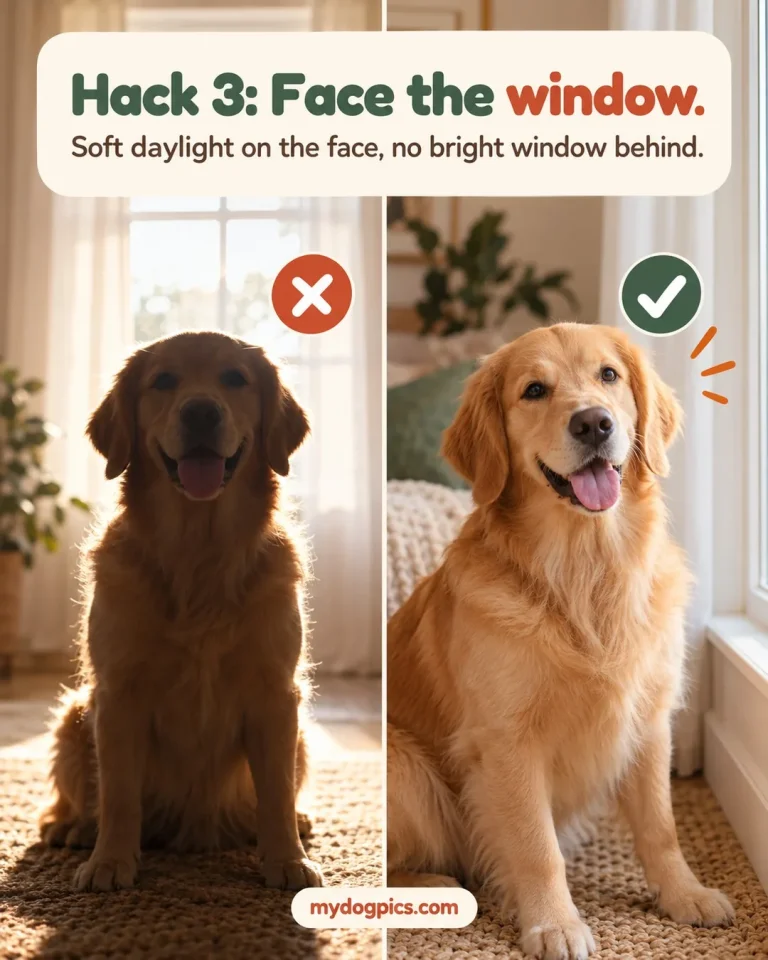
3. Soft, even daylight
Turn your dog toward the window. No hard shadow across the muzzle and no bright window behind the dog.
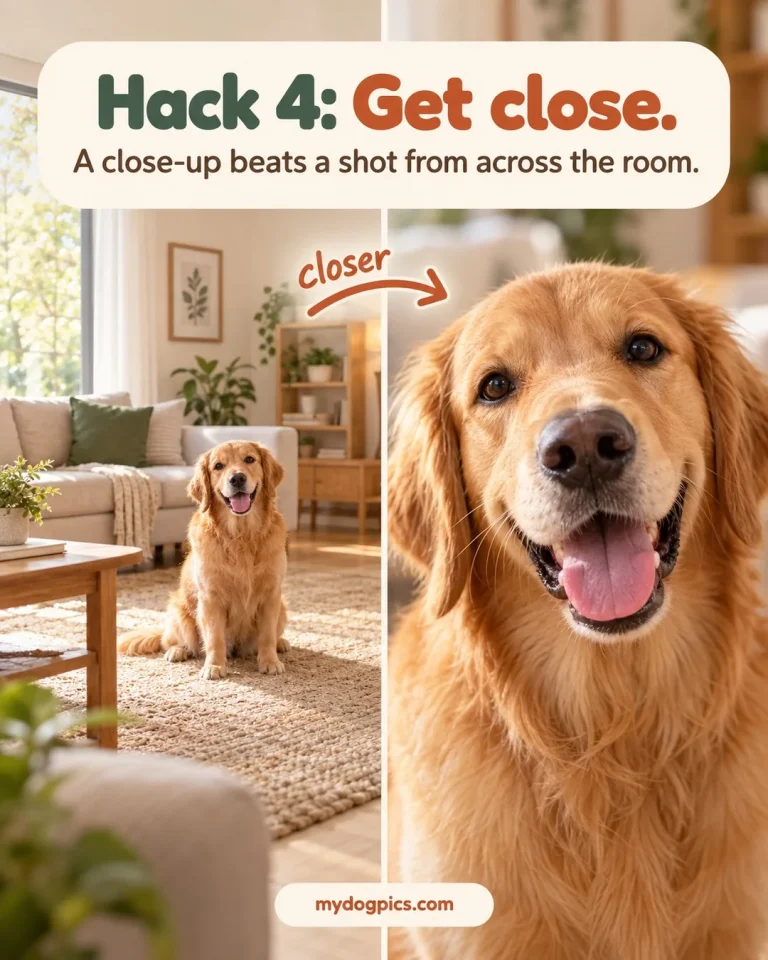
4. Close, not across the room
A dog photographed from a distance has too few pixels to begin with. Step in until the head fills much of the frame.
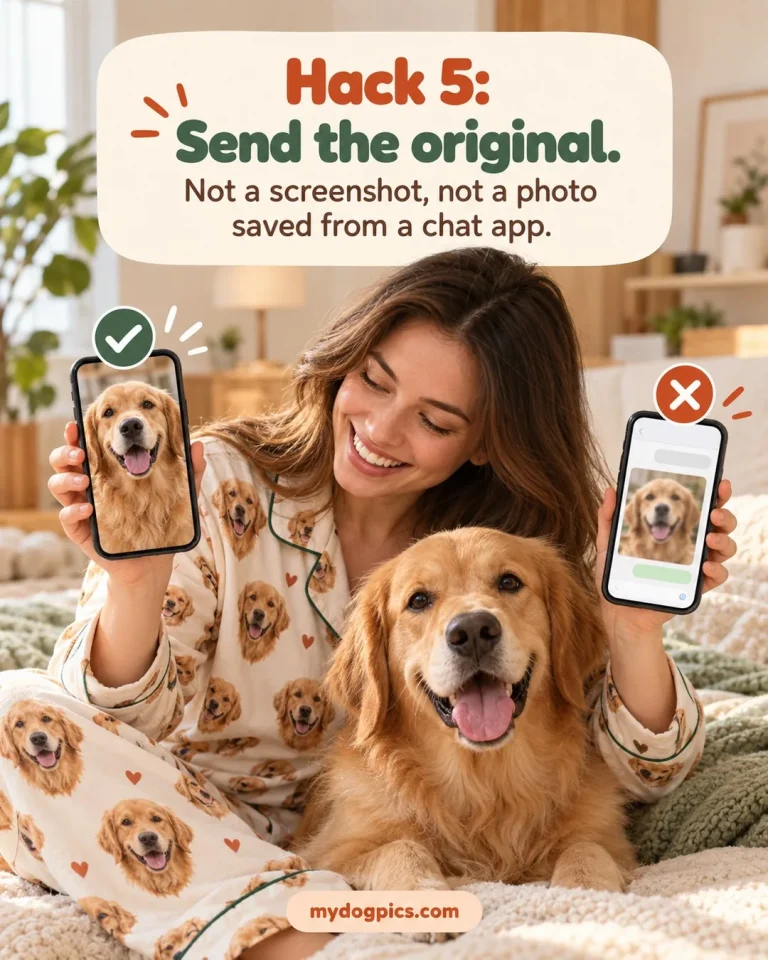
5. The original file
Send the photo straight from your camera roll. A screenshot, a chat-app copy or a heavily filtered version loses detail.
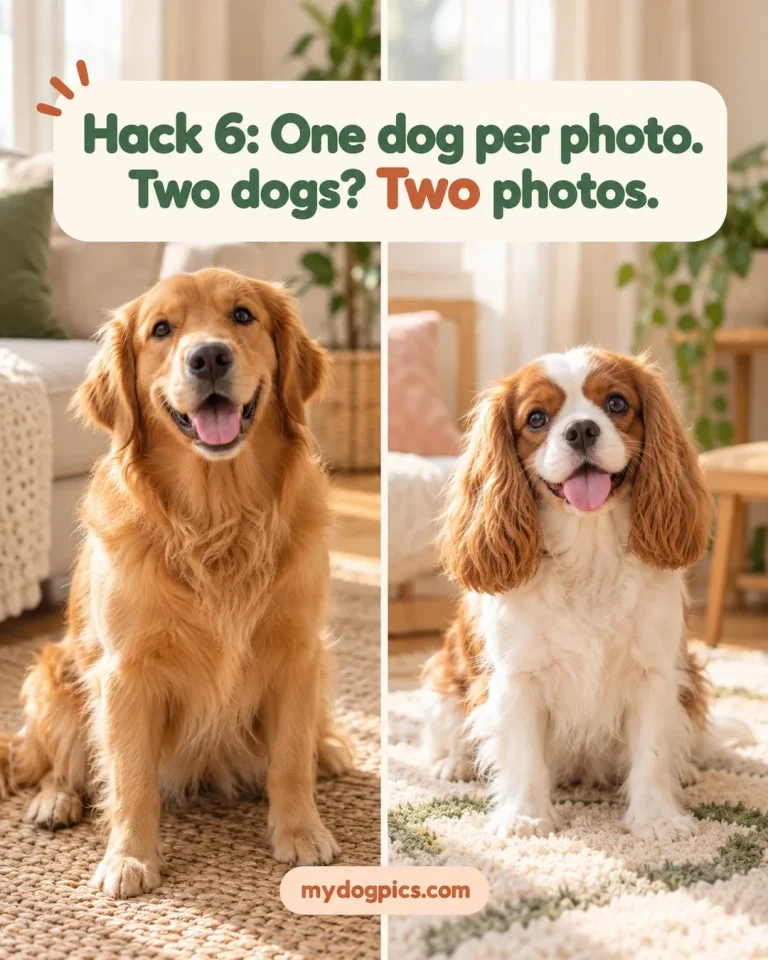
6. One dog, nothing in front of the face
A hand, a toy or a second dog breaks a clean cut-out. Two dogs means two photos.
Small, repeated faces
Pajamas with picture of your dog: why small faces need the sharpest eyes
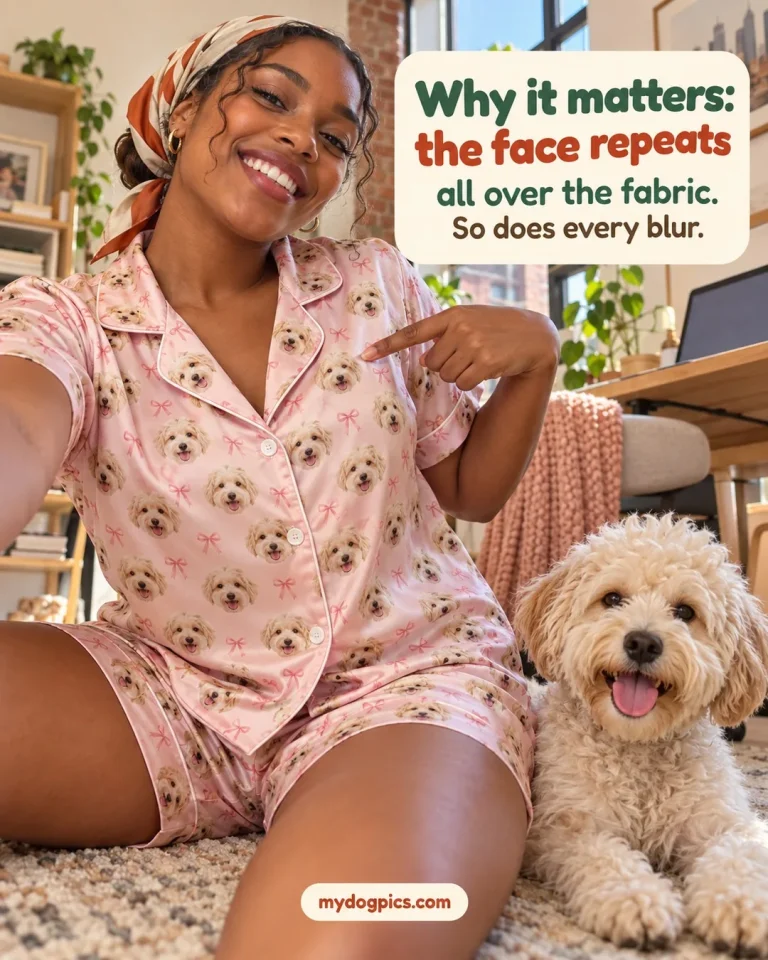
A picture of your dog on pajamas is printed many times over at a small size, across the front, the back and the sleeves or legs. Soft focus that is hard to notice on a phone screen turns the eyes into dark smudges at that size, and every flaw repeats with the face.
The cut-out is the second reason. The edge around the ears, fur and chin has to be readable, and a dark dog on a dark sofa or a white dog against a white wall gives a vague edge.
Socks and ornaments follow the same rule: crop tight to the head, keep the eyes on the camera and choose clear contrast between your dog and the background.
By product
How the product changes the photo you need
Each product prints your dog’s face at its own size. A small face needs clear eyes and a clean outline; a large one needs both, plus enough resolution to stay crisp once it is enlarged.
| Product | How the face is printed | What the photo needs most |
|---|---|---|
| Pajamas | Many small faces repeated all over the garment | Sharp eyes and nose, a clean outline, the head filling the frame |
| Socks | Small faces on a surface that stretches when worn | A tight crop of the head, eyes facing the camera |
| Ornaments | One small face filling most of the surface | A clear head shape and bright, even light on the eyes |
| Mugs | A face on a curved surface | A head facing the camera, centered, with space around the ears |
| T-shirts, hoodies, sweatshirts | One face on the front or a repeat, depending on the design | The full-size original for one large face; sharp eyes for a repeat |
| Pillows | One larger face on a soft, rounded front | The head centered, with room left around the ears |
| Blankets | A large print area: one face enlarged, or a repeat | The full-size original file, sharp fur detail, no digital zoom |
| Portraits | One face, or the head and shoulders, as the whole picture | The most detail of all: sharp eyes, true fur color, natural light |
| Memorial gifts | Any of the layouts above | The sharpest photo you have; scan paper prints rather than photographing them under a lamp |
For blankets, pillows and portraits, send the full-size original straight from the phone or camera and skip digital zoom, which throws detail away before the photo is taken. Grain from a dim room passes for texture on a small print but shows as noise on a large one.
On your phone
How to take a new photo in a few minutes
If none of your photos pass the checklist, a new one is quick to take. These steps work with any recent phone, for small prints and large ones alike.
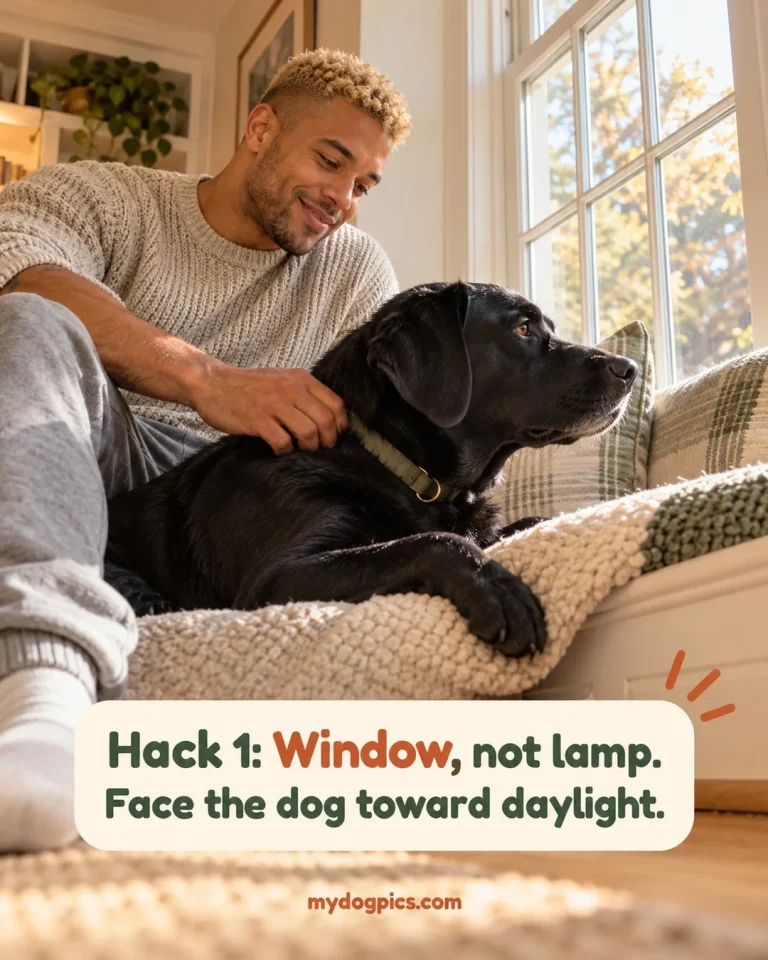
Find soft light
Sit your dog facing a window, not a lamp, or go outdoors in open shade. Midday sun makes dogs squint, and a window behind the dog turns it into a silhouette.
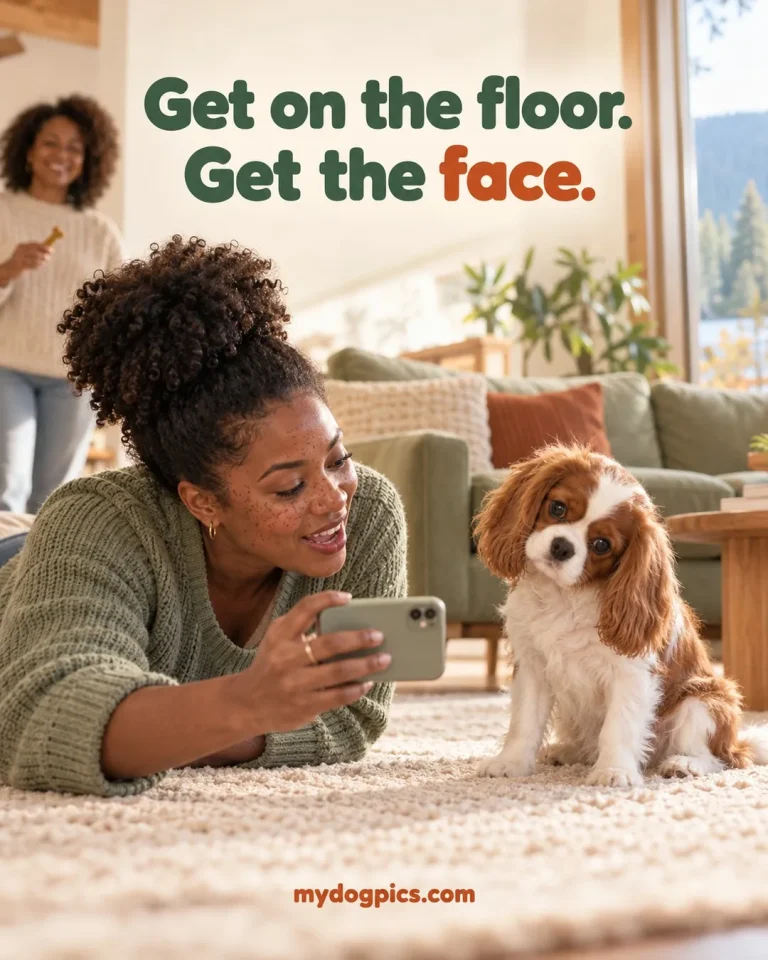
Shoot at eye level, up close
Kneel so the lens is level with your dog’s eyes, then step in with the main lens until the head fills much of the frame. Shooting down from standing height shrinks the muzzle and hides the chin.
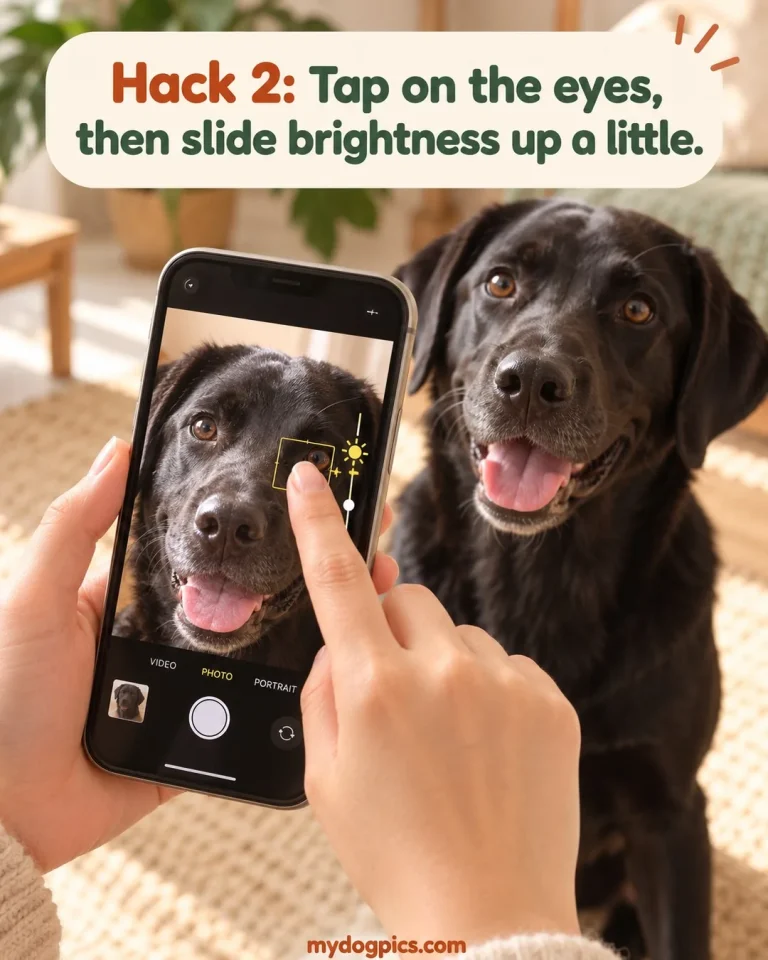
Focus on the eyes
Tap the eyes to focus and hold the phone steady with both hands. A squeak or a treat held just above the lens brings the ears forward, and burst mode catches a sharp frame from a busy puppy.
Keep it unedited
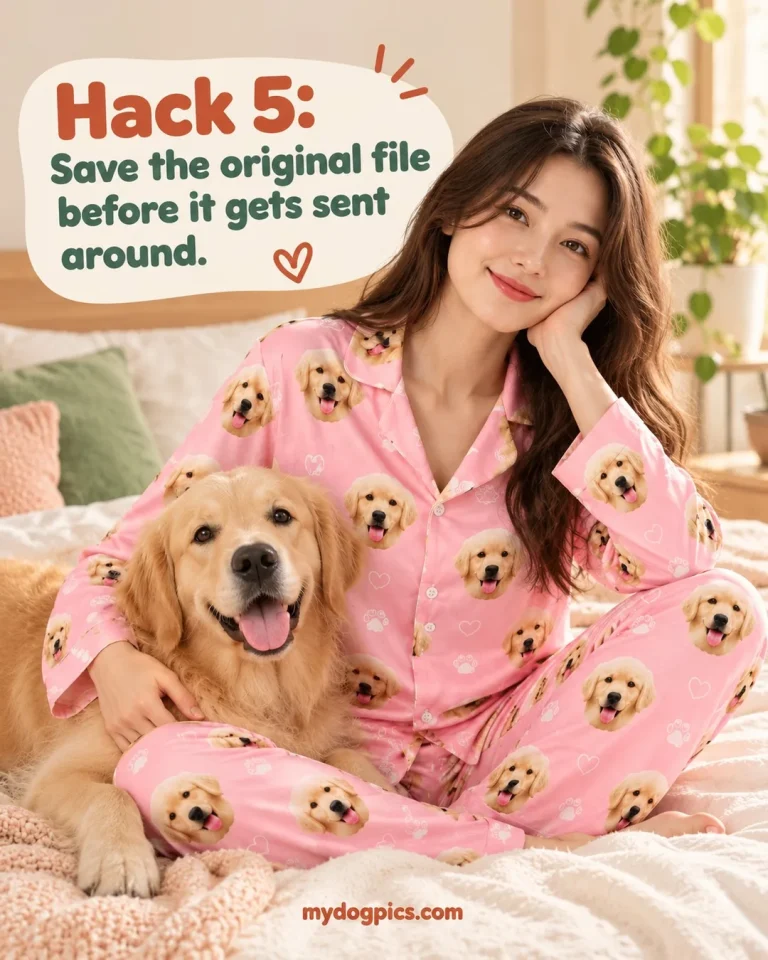
Skip filters and portrait blur: filters shift fur color, and portrait mode softens the edges the cut-out relies on. Save the original before it gets sent around, and upload that file.
More than one dog
Photos for two or more dogs
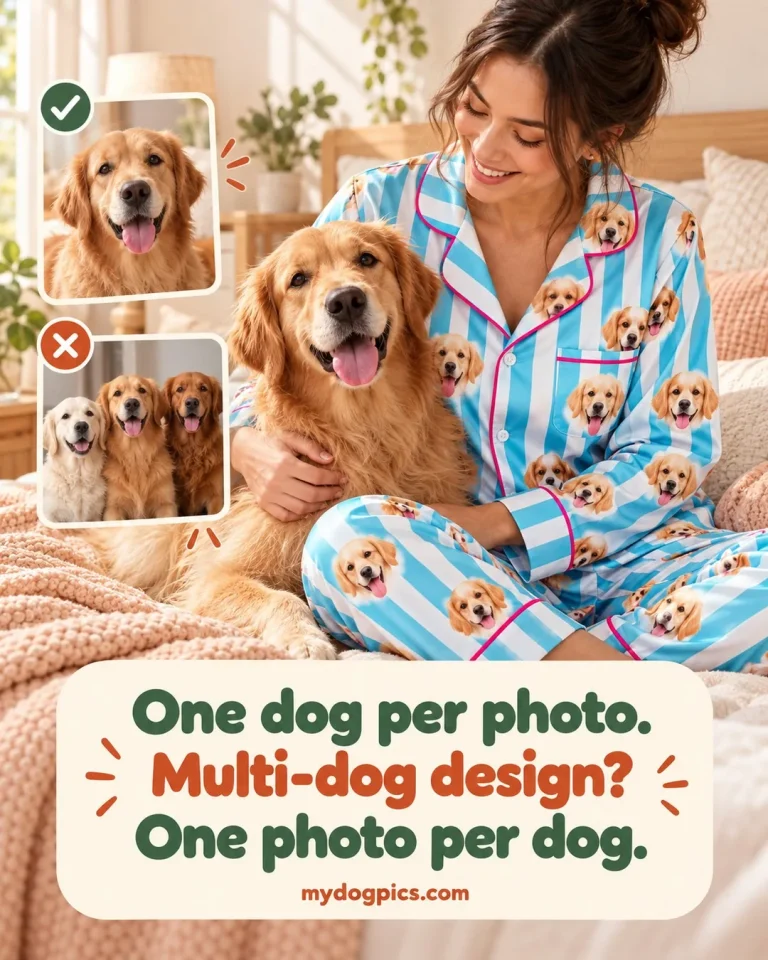
Some designs take more than one dog, and each of those product pages states its own limit. Upload one photo per dog, with one dog in each photo, because a single shot of two dogs side by side gives two small heads that often overlap.
Match the photos where you can: similar light, angle and distance help the faces sit together at a consistent size. Designs for several dogs are in multi-dog gifts, and the guide to two dog portraits covers layouts.
Special photos
Old photos, puppy photos and photos of a dog who has died
Sometimes the photo you want is the one you already have. These notes help you get the most from it.
Old prints and scans
Scan a paper photo, or lay it flat in daylight and photograph it straight on without glare. An old snapshot often holds enough detail for a small face on pajamas, socks or an ornament, but not for a face enlarged across a blanket or a portrait.
Social media and chat copies
Photos saved from a social post or a chat message are compressed copies with a fraction of the original detail. Look for the original in your phone’s cloud backup or on the old device before you upload a copy.
Puppy photos
Puppies change quickly, so a recent photo shows the dog as it looks now. Burst mode and a helper holding a treat make the difference, and gifts for a family with a new dog are in new puppy gifts.
A dog who has died
Send the sharpest photo you have in which the eyes are visible; if it will not print well, we tell you before printing so you can choose another. Our guide on what to do when your dog dies covers the first days, and keepsakes are in dog memorial gifts whenever you feel ready.
Will the printed colors match your screen?
Very close, but not exactly. Your phone or laptop makes color out of light (RGB), while your pajamas, blanket or socks are printed with ink (CMYK). Ink cannot reach every shade a screen can glow, so very bright colors like neon green, electric blue, hot pink and vivid purple print a little softer and deeper than they look online.
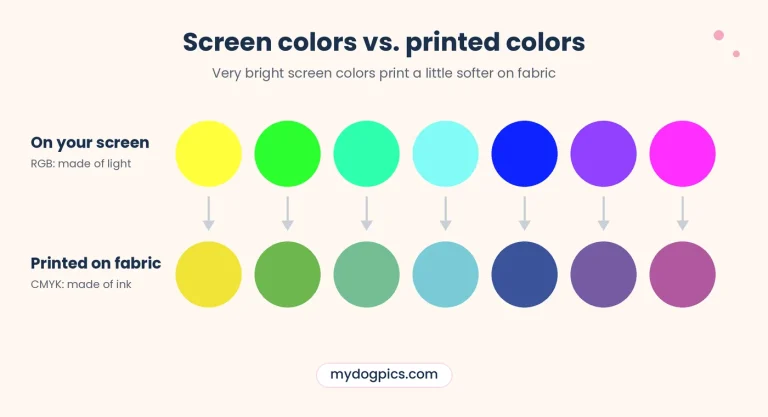
Screens also differ from one another: the same photo can look warmer or cooler on two phones, and night mode or low brightness shifts it again. Treat the product photos and background swatches as a close guide, not an exact match.
A small shift in shade is normal and is not a print defect. The full explanation is in why printed colors look different.
- Upload a photo with natural colors. We print from the file you upload, so a color cast, a heavy filter or boosted saturation prints too, and shifts the most on fabric.
- Expect rich, not glowing. Fur colors, cream, brown and soft pastels print closest to what you see on screen. Neon and very saturated shades shift the most.
- Clearly wrong colors are covered. If the printed colors are clearly wrong compared with the file you uploaded, tell us within 30 days of delivery and we remake it or refund you. See returns, remakes and refunds.
Our check
What happens if your photo will not print well
Nothing is printed until a usable photo is in, and there is no proof step, so this check is where problems get caught.
What we check
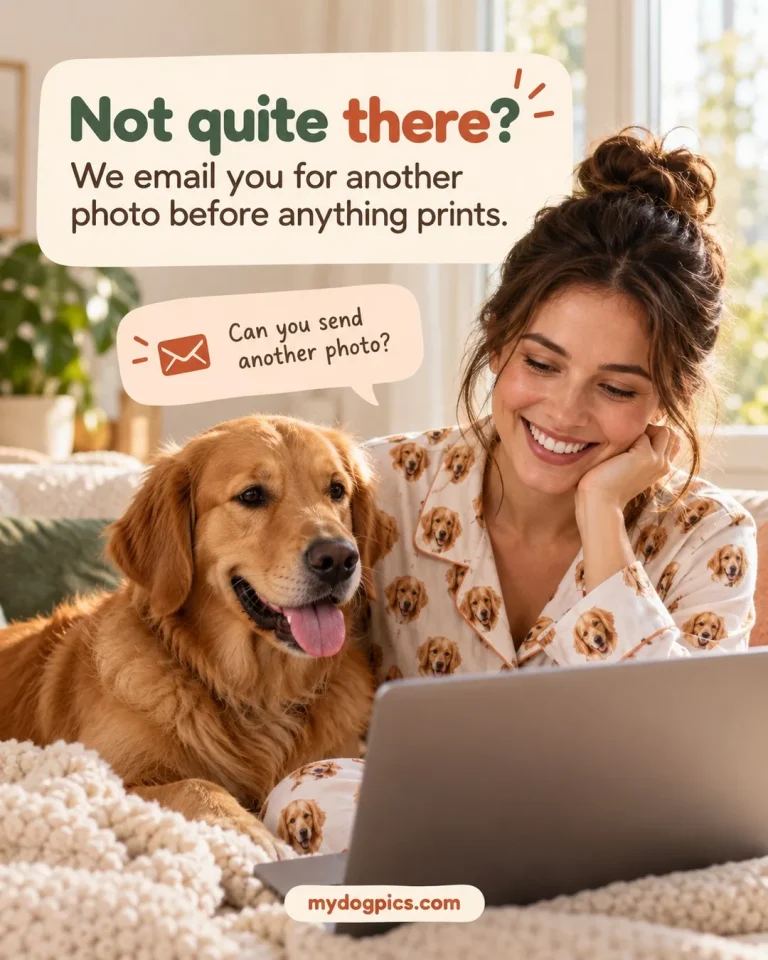
MyDogPics checks every upload against the size its face will print at. If a photo lacks the resolution, light or focus to print well, we email you for a replacement before printing.
Why choosing well matters
Photo quality sits outside the remake and refund policy, which covers printing and shipping problems. Details are on returns, remakes and refunds.
Who it is for
Photo tips for every dog person, and every gift
Everyone who orders runs into a slightly different photo problem. Each card names one, and the fix that solves it.
Dog moms
Dog moms often have thousands of photos and are not sure which one will print well. Start with the sharpest close-up of the eyes, then run it through the six checks above.
Dog dads
Dog dads are hard to shop for, and their photos tend to catch the dog mid-play with a blurry face. For a gift he will actually wear, wait for a calm moment, kneel to eye level and use burst mode.
Gift buyers for a dog lover
Buying for a friend, sister or coworker means guessing at a photo you did not take. Ask the owner for the original file rather than a screenshot from social media, and if it falls short we email you before printing.
Kids and parents
Kids want the family dog on their pajamas, but a photo taken by a child is often blurry or tilted. Take the shot yourself in daylight, and pick the kids’ size from the chart on the product page.
Matching families
In a matching family order every set comes from the same photo, so one weak photo spoils all of them. Choose the photo once, check it closely, then use it on every order.
Couples
Couples who share a dog often can’t decide which photo is the one. Pick the shot where both eyes are sharp rather than the funniest pose, because a small repeated face only shows its expression when it is in focus.
Grandparents
Grandparents live far away and rarely have the grand-dog’s photos on their own phone. Ask the owner to send the original file by email or a cloud link, since a chat app shrinks it on the way.
New puppy owners
A new puppy never sits still, and the puppy months go by too fast. Shoot when it is sleepy, use burst mode and keep the sharpest frame.
Holiday and birthday shoppers
Last-minute holiday shopping leaves no time to find a better photo if yours falls short. Pick and check the photo early, because every piece is made to order after checkout and current times are on the shipping page.
After the loss of a dog
When a dog has died, the photos you already have are the only ones there will be. Send the sharpest one where the eyes show, and take your time choosing.
Homes with several dogs
In a home with more than one dog, one always gets left out or ends up blurry in the group shot. Photograph each dog on its own and upload one photo per dog.
Treating yourself
Buying for yourself can feel awkward when your camera roll is already all dog. Treat yourself anyway: the best photo is probably one you took last week.
Questions
Photo questions
Can I use a photo taken on my phone?
Yes, most phone photos work when they are sharp and taken in good light. Upload the original from your camera roll rather than a screenshot or a forwarded copy, because both compress the image and remove the detail a printed face needs.
Can I use the same photo on more than one product?
Yes, upload it on each product page you order from. Each item is checked on its own, because a photo with enough detail for socks or an ornament may be too small for a blanket or a portrait.
What if my dog is not looking at the camera?
A slight angle works as long as both eyes and the nose are clearly visible. A full profile, where only one eye shows, or a shot from behind gives no face to cut out.
Can the photo include a person or another dog?
People or objects in the background are fine as long as nothing overlaps your dog’s head. For a multi-dog design, send a separate photo of each dog so every face can be cut out cleanly.
Can you fix a blurry or dark photo?
Missing sharpness cannot be added back in a way that prints convincingly, so we do not print from photos that are too small, dark or blurry. Instead, we email you before printing and ask for a different photo.
Can I change the photo after I order?
Yes, within 12 hours of ordering and before the order goes to print. Email support@mydogpics.com with your order number and attach the new photo as an original file.
Found the right photo? Choose a design and upload it on the product page. Free US shipping on every order, and your 2nd set is 25% off in the cart, automatically.